

Chapter 7
Validating and testing
Validation checks the structure of the draft. Testing checks how it behaves. Use both before every release.
Validate the draft
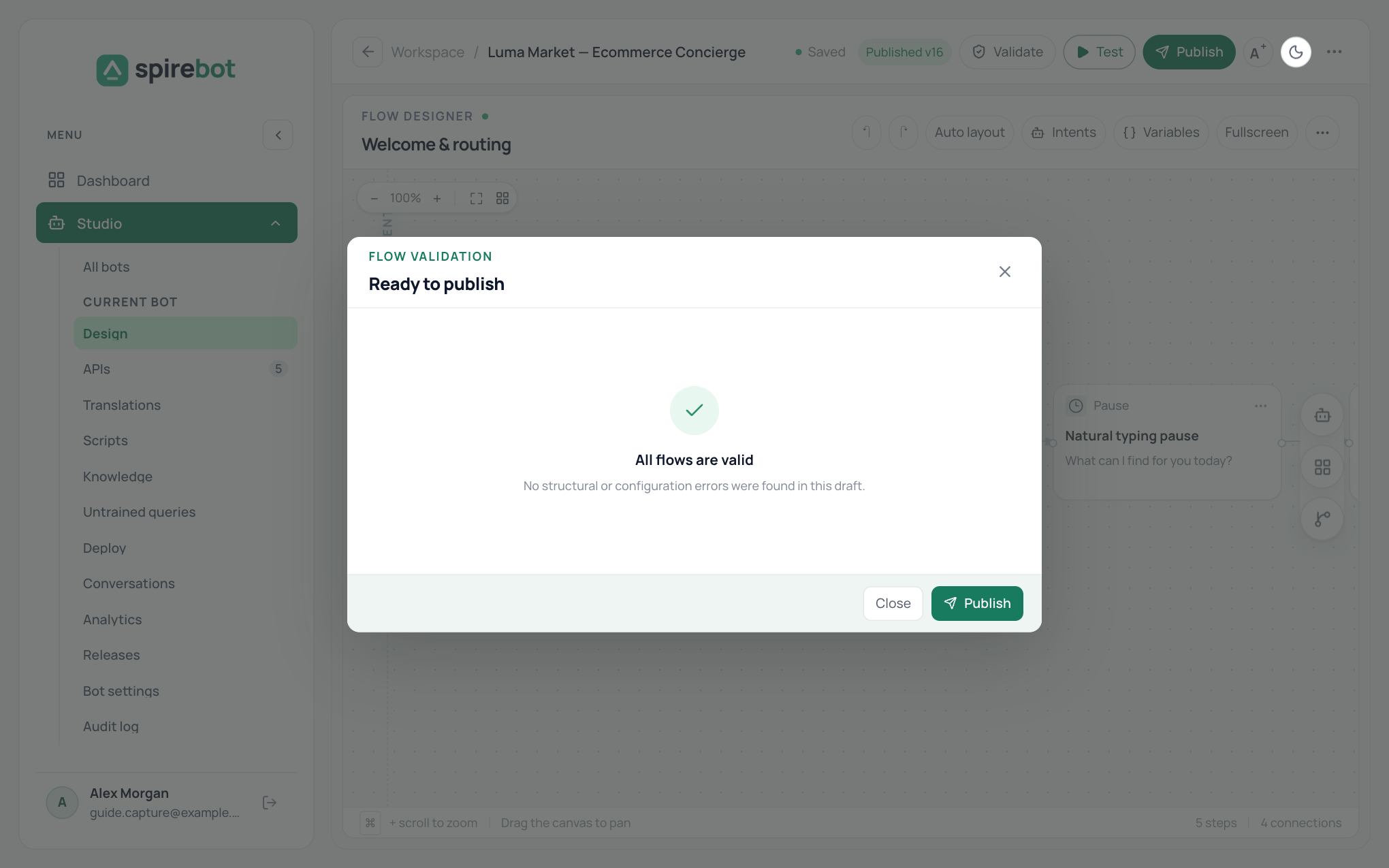
Select Validate in the top bar. The report lists every issue, such as a missing entry step, a disconnected step, an invalid branch, an undeclared variable, an incomplete translation, or an action that is not configured. Fix each one and validate again until the report says the draft is ready to publish.
Test in the draft playground
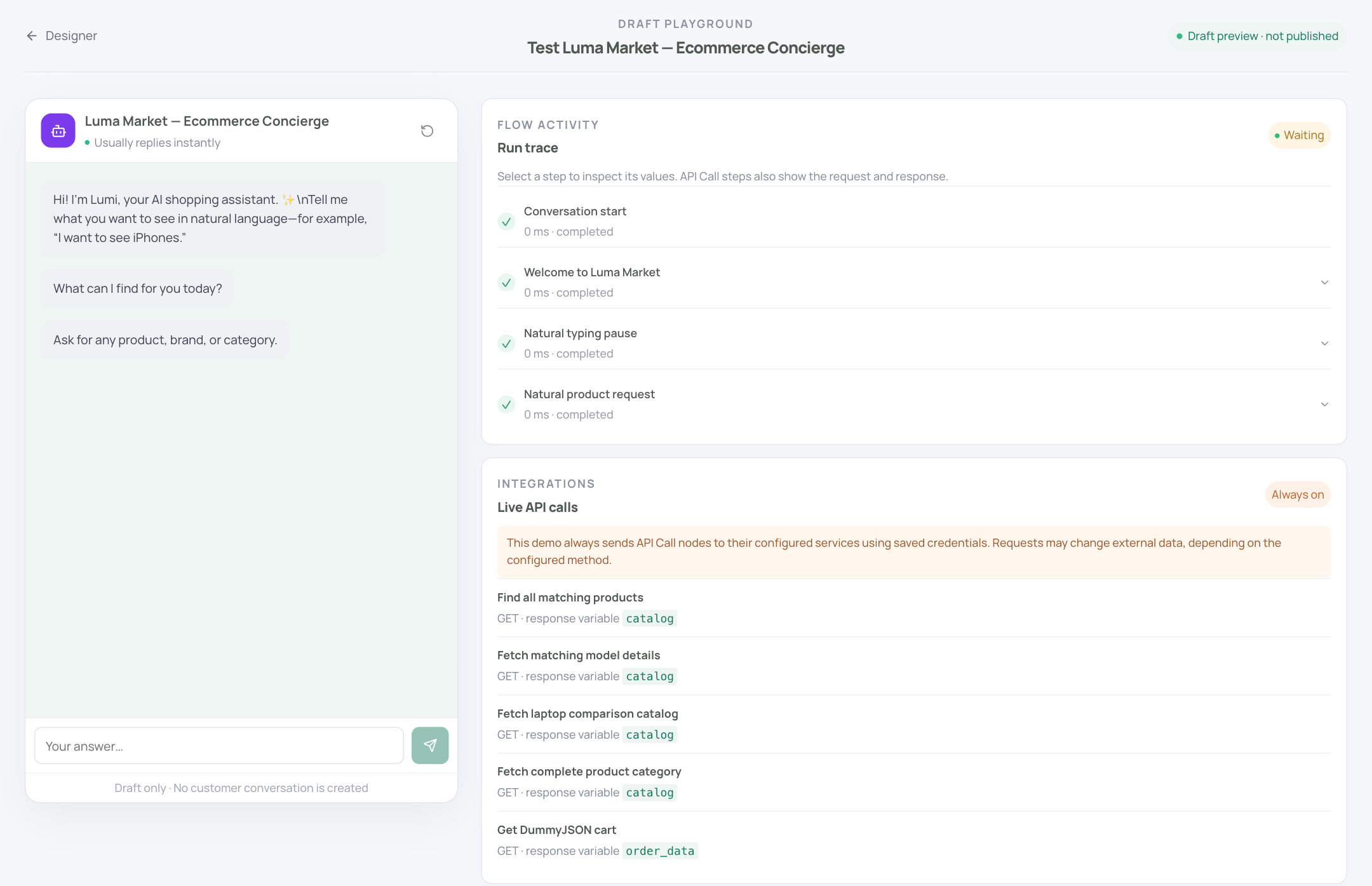
Select Test in the top bar. The playground opens in a new browser tab and runs the draft, not the published version.
- Chat with the bot on the left, exactly as a customer would.
- The Run trace on the right lists each step with its status and duration. Select a step to inspect its values. API Call steps also show the request and response.
- Live API calls lists the saved APIs the flow can call. When live calls are on, requests go to the real services and may change real data.
- Reset conversation starts again from the first step.
Test runs never create a customer conversation, and they are not counted in Untrained queries or Observability.
What to test
| Case | Check that |
|---|---|
| Happy path | The customer reaches the intended outcome. |
| Wrong input | The bot explains the expected format and lets the customer retry. |
| Empty result | The bot says nothing was found and offers a next step. |
| Dependency failure | An API failure follows the Failure branch and offers retry or a person. |
| Fallback | An unrecognised reply gets the fallback message. |
| Handover | The Live Agent step reaches the right department. |
| Language | Each enabled language reads correctly. |
| Channel | The conversation works in the real web widget or WhatsApp number. |
Never build an endless retry loop. After a few failed attempts, change the interaction: show choices, ask for less, or transfer to a person.