

Chapter 6
Bot settings
Bot settings control how the bot behaves outside any single flow. Select Save settings after every change.
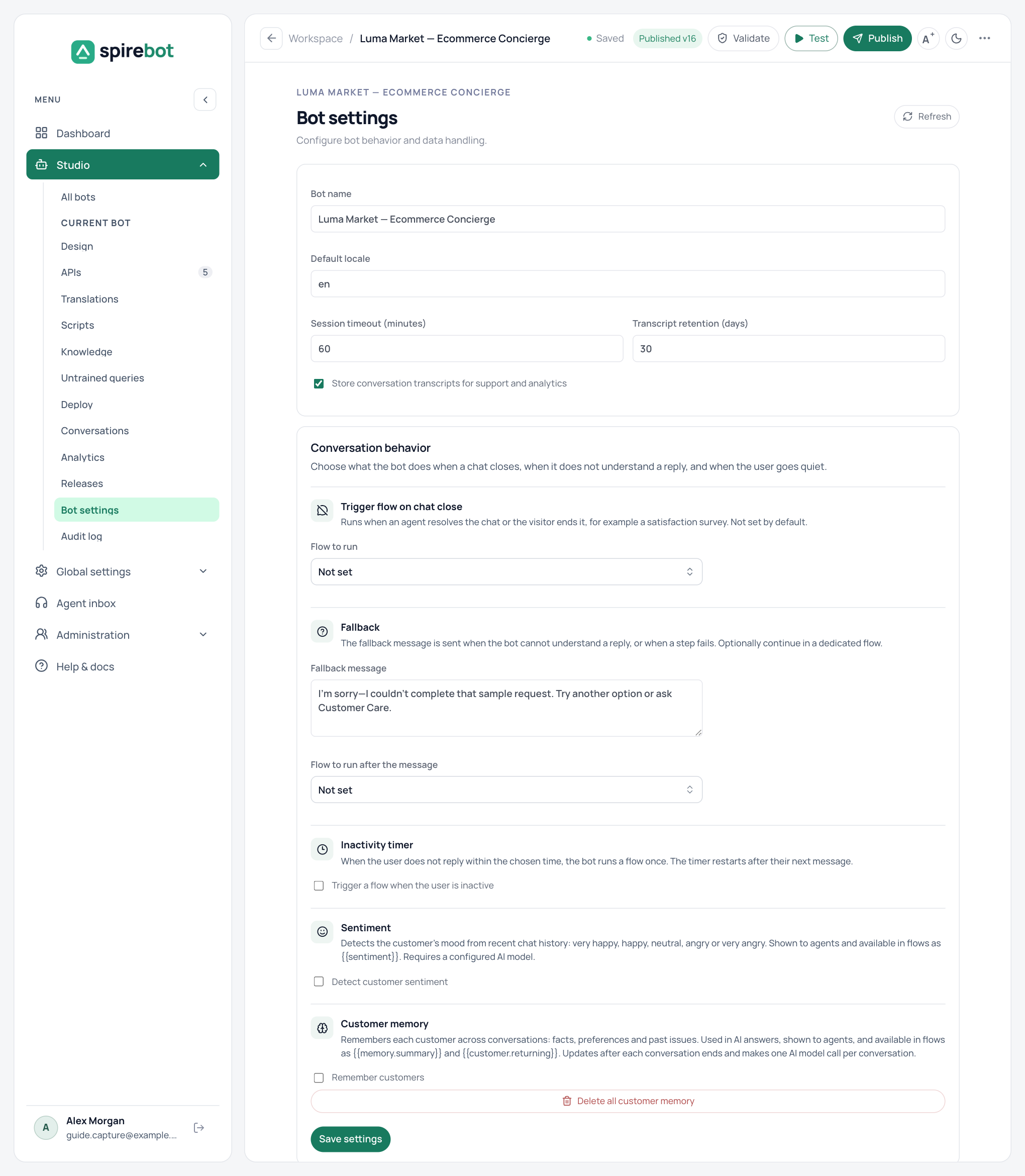
General
| Setting | Purpose |
|---|---|
| Bot name | The name shown in the workspace. |
| Default locale | The language used when no other applies. |
| Session timeout (minutes) | How long a quiet conversation stays open. |
| Transcript retention (days) | How long stored transcripts are kept. |
| Store conversation transcripts | Keeps transcripts for support and analytics. Turning it off also stops the collection of untrained queries. |
Conversation behavior
| Option | What it does |
|---|---|
| Trigger flow on chat close | Runs a flow when an agent resolves the chat or the customer ends it, for example a satisfaction survey. It does not run when a flow reaches its own End step or when a session times out. |
| Fallback | The fallback message is sent when a reply to a menu, buttons, or carousel is not understood, or when a step fails. You can also choose a flow to run after the message. |
| Inactivity timer | Runs a flow once when the customer has not replied for the chosen time, from 10 seconds to 24 hours. The timer restarts after their next message. |
| Sentiment | Classifies the customer’s mood as very happy, happy, neutral, angry, or very angry. Agents see it in the inbox, and flows can branch on {{sentiment}}. It needs a configured AI model. |
| Customer memory | Remembers each customer across conversations: facts, preferences, and past issues. AI answers use it, agents can see and correct it, and flows can read values such as {{memory.summary}} and {{customer.returning}}. It needs stored transcripts and a configured AI model. Delete all customer memory clears it. |
Important
A flow chosen in Bot settings runs only after it is published. If the selected flow exists only in the draft, the settings page warns you.